eCommerce businesses in the United States collectively
overpay or underpay billions of dollars in sales tax every year — not from dishonesty, but from complexity. If you want to automate sales tax compliance for your e-commerce business, you are making one of the smartest operational decisions available to you in 2026. Manual sales tax management across dozens of states is no longer sustainable for growing online sellers.
Since the landmark 2018 South Dakota v.
Wayfair Supreme Court ruling, economic nexus laws have forced e-commerce businesses to collect and remit sales tax in states where they have no physical presence. Today, 45 states plus Washington D.C. impose sales tax, each with different rates, rules, and filing deadlines.
In this guide, you will learn exactly what sales tax
automation is, how it works, which tools to use, the most common pitfalls to avoid, and how Tranzesta helps ecommerce entrepreneurs across the United States build a bulletproof compliance system.
What Does It Mean to Automate Sales Tax Compliance for eCommerce?
Automating sales tax compliance for e-commerce means using software and systematic processes to handle sales tax calculation, collection, filing, and remittance — without doing it manually for each transaction or each state. For most growing ecommerce businesses, automation is not a luxury; it is a legal and operational necessity.
Manual compliance becomes unmanageable the moment
you cross economic nexus thresholds in multiple states simultaneously. Consider that a business selling nationwide could owe sales tax in up to 45 jurisdictions, each with distinct rates, product taxability rules, and due dates. One missed filing in California or Texas can trigger penalties of up to 25% of the unpaid tax, plus daily interest.
Sales tax automation software integrates directly with your
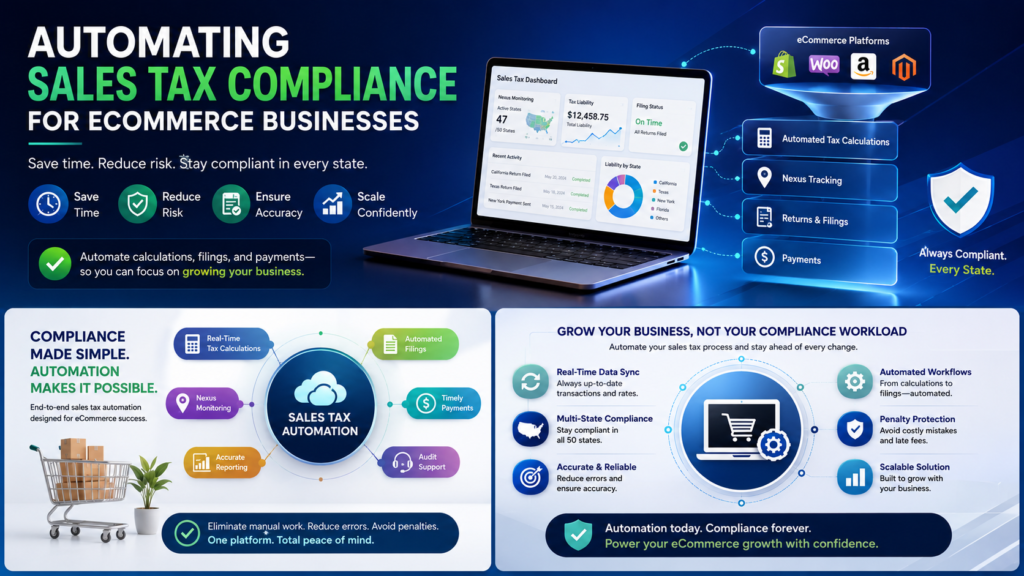
ecommerce platform — whether Shopify, WooCommerce, Amazon, BigCommerce, or Etsy — and automatically applies the correct tax rate for every customer’s location at the point of sale. It then aggregates your sales data, prepares returns, and in many cases files and remits payments to each state on your behalf.
What Is Economic Nexus — and Why Does It Drive Automation?
Economic nexus is a legal standard that obligates a business to collect and remit sales tax in a state based purely on sales volume — not physical presence. Most states set the threshold at $100,000 in annual sales or 200 separate transactions within that state. Once you cross that threshold, registration and collection become mandatory within a defined window — sometimes as short as 30 days.
Because economic nexus thresholds can be triggered
unexpectedly as a business scales, automated monitoring tools are essential. The right software tracks your sales by state in real time and alerts you the moment you approach a registration threshold.
Which eCommerce Businesses Need Sales Tax Automation?
Any US-based e-commerce business that sells to customers in multiple states should consider automation. This includes Shopify store owners, Amazon FBA sellers, digital product creators, subscription box companies, OnlyFans creators selling physical merchandise, and cannabis delivery businesses operating across state lines.
Additionally, self-employed individuals who sell digital goods — like downloadable content, online courses, or licensed software — need automation because digital product taxability varies dramatically by state. Approximately 28 states currently tax digital goods, while others do not. Getting it wrong in either direction creates compliance exposure.
How Does Sales Tax Automation Work for eCommerce Businesses?
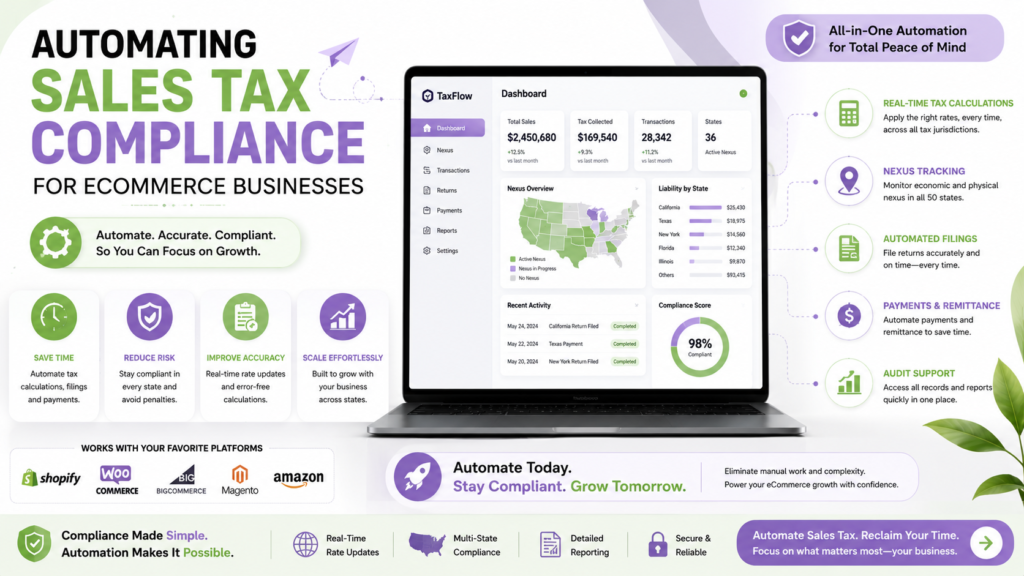
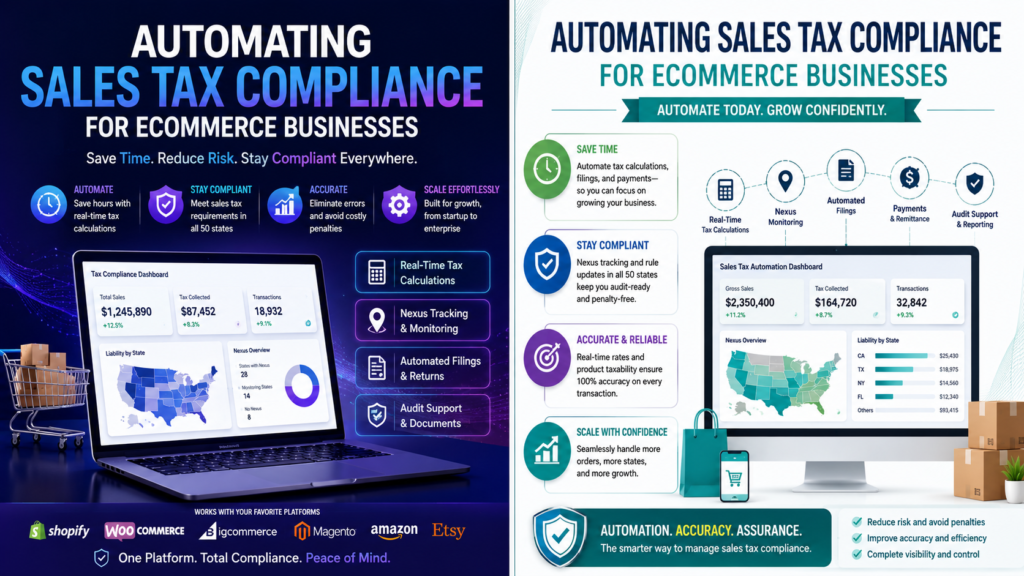
Sales tax automation works through four core functions: real-time rate calculation at checkout, nexus monitoring across all US states, automated return preparation, and electronic filing and remittance. Each function eliminates a manual process that previously required hours of bookkeeping work every month.
Leading automation platforms — including TaxJar, Avalara
(AvaTax), Vertex, and TaxCloud — integrate directly with major ecommerce systems via API. Once connected, these tools run silently in the background, applying the correct blended rate (state + county + city + special district) for every customer’s ship-to address, in real time.
Key Features to Look for in Sales Tax Automation Software
Not all automation platforms are created equal. When evaluating a solution, prioritize these six capabilities:
Real-time rate calculation using rooftop-level address precision — not just zip code approximations
Economic nexus threshold monitoring with automatic alerts when you approach registration requirements
Multi-channel support across Shopify, Amazon, Etsy,
WooCommerce, and direct sales simultaneously
Product taxability mapping — correctly classifying your products as taxable, exempt, or partially taxable per state
AutoFile capabilities — the platform files and remits on your behalf in each registered state
Audit trail and reporting — detailed transaction records that hold up during a state sales tax audit
Most importantly, product taxability mapping is where many businesses make critical errors. A software subscription, for example, is taxable in New York and Texas but not in California. A dietary supplement is taxable in some states but classified as a medicine — and therefore exempt — in others.
How Much Does Sales Tax Automation Cost?
Pricing for automation platforms varies based on transaction volume. TaxJar starts at approximately $19 per month for small sellers, scaling to $99–$199 per month for mid-size businesses. Avalara’s pricing is transaction-based and typically ranges from $50 to several hundred dollars per month depending on volume and states covered.
In contrast, the cost of non-compliance dwarfs these fees.
A single back-tax audit in California — one of the most aggressive states for sales tax enforcement — can result in assessments covering three years of uncollected tax, 10% penalty, and 0.5% monthly interest. Therefore, automation is genuinely one of the highest-ROI investments an e-commerce business can make.
For guidance on sales tax obligations and compliance
resources, the IRS Small Business Tax Center (IRS.gov/businesses/small-businesses-self-employed) links to each state’s revenue department — your official starting point for registration in any US state.
Common Sales Tax Automation Mistakes That Cost eCommerce Businesses Money
Even businesses using automation software make critical errors. Understanding these pitfalls upfront will help you build a system that actually works — rather than one that creates a false sense of security.
Mistake 1: Automating Before Registering in Required States
Sales tax automation software calculates and collects tax — but it cannot register your business in states where you have nexus. If you activate automation without first registering in the required states, you may be illegally collecting sales tax without a valid permit. This creates a different compliance problem: most states prohibit collecting sales tax without a seller’s permit.
Therefore, always complete your nexus analysis and state registration before turning on your automation platform. Tranzesta handles both steps for e-commerce clients — ensuring registration and automation are coordinated correctly from day one.
Mistake 2: Ignoring Product Taxability Rules
Automation platforms apply the tax rate you configure — but you must configure them correctly. If you misclassify a product category, the software will consistently charge the wrong tax rate (or no tax at all). For example, clothing is exempt from sales tax in Pennsylvania but taxable in Texas. Food products, supplements, and digital goods each have their own patchwork of state-by-state rules across the United States.
Additionally, if your ecommerce store sells products in multiple categories — physical goods, digital downloads, and subscriptions — each category may require a different tax classification in each state. This is where human expertise from a firm like Tranzesta adds irreplaceable value beyond what the software alone provides.
Mistake 3: Failing to Monitor New Nexus Thresholds as You Scale
Many sellers set up automation once, then never revisit their nexus footprint as the business grows. However, as your sales increase, you may cross the $100,000 threshold in additional states at any time during the year. Most states require you to register within 30–60 days of crossing the threshold — not at year-end.
Consequently, a business that generated $80,000 in sales to California customers in Q1 and then accelerates in Q2 could cross the threshold mid-year and owe back tax from that crossing date forward, not just from when they notice. Continuous nexus monitoring is non-negotiable.
Mistake 4: Not Reconciling Automation Reports Against Actual Filings
Automation platforms occasionally encounter sync errors, API timeouts, or miscategorized transactions. If you never reconcile the platform’s reports against your actual bank remittances and state filing confirmations, errors can compound for months before you notice them. Treat your automation platform as a tool — not a replacement for periodic human review.
Step-by-Step: How to Automate Sales Tax Compliance for Your eCommerce Business
Setting up a reliable sales tax automation system involves six deliberate steps. Rush any of them and you risk either non-compliance or over-collection — both of which carry financial and legal consequences.
Step 1: Conduct a Full Nexus Analysis
Before doing anything else, analyze your prior 12 months of sales data by state. Identify every state where you exceeded $100,000 in revenue or 200 transactions. Also check for physical nexus triggers — employees, contractors, warehouses, or trade show inventory in any state. This analysis tells you exactly where you must register.
Step 2: Register for Sales Tax Permits in All Required States
Register with each state’s revenue department before you begin collecting tax there. Most states now offer online registration through their revenue or department of taxation websites. California uses the CDTFA portal, Texas uses eSystems, and New York uses its Business Online Services system. For states participating in the Streamlined Sales Tax (SST) program — currently 24 states — you can register for all of them simultaneously at streamlinedsalestax.org.
Step 3: Select and Integrate Your Automation Platform
Choose a platform that integrates natively with your e-commerce stack. TaxJar integrates directly with Shopify, BigCommerce, WooCommerce, Amazon, Etsy, and Square. Avalara supports a broader enterprise range including Magento and NetSuite. Connect the platform using your API credentials and configure your business address and all registered states within the dashboard.
Step 4: Map Your Products to the Correct Tax Categories
Work through each product or service you sell and assign the correct tax category within your automation platform. Use the platform’s built-in product tax code library — TaxJar calls these TaxCodes, Avalara uses Tax Codes from the Avalara Tax Code Library. Consult a tax professional like Tranzesta for any product categories that are ambiguous, such as supplements, bundled products, or digital subscriptions.
Step 5: Enable AutoFile for Registered States
Once your integration is live and products are correctly categorized, enable the AutoFile feature in your platform for each state where you are registered. This setting directs the software to prepare and submit your sales tax return — and remit the collected funds — on or before the due date. Verify that your bank account is connected correctly for electronic remittance.
Step 6: Set Up Monthly Reconciliation Reviews
Schedule a monthly review — even just 30 minutes — to compare your automation platform’s transaction report against your bank statement remittances and state filing confirmations. Flag any discrepancies immediately. Additionally, re-run your nexus analysis every quarter to catch new threshold crossing
Contact our team at hello@tranzesta.com for a free consultation. We will review your nexus exposure, Tranzesta.com configure your automation setup, and ensure your e-commerce business is fully compliant across every state.s as your business scales.
Automate Sales Tax Compliance eCommerce: Expert Tips for 2026
The sales tax automation landscape is evolving rapidly in 2026. States are investing in data analytics and third-party data purchases to identify non-compliant sellers. Here are the most important advanced strategies to stay ahead.
Use a Marketplace Facilitator exemption strategically.
If you sell exclusively through Amazon, Etsy, or Walmart Marketplace, those platforms collect and remit sales tax on your behalf in most states. However, if you also sell direct-to-consumer on your own website, you still have full compliance obligations for those direct sales.
Retroactive compliance via Voluntary Disclosure Agreements.
If you know you have missed prior-year filing obligations, do not wait for a state audit. Most states offer VDA programs that cap the lookback period at two to three years and waive penalties entirely. Tranzesta manages VDA negotiations on behalf of e-commerce clients regularly.
Watch for changes in digital product taxability laws.
Several states are currently evaluating or expanding their digital goods tax frameworks in 2026. Businesses selling SaaS, streaming content, or downloadable files should review their product classifications annually — not just at setup.
Leverage the Streamlined Sales Tax program for multi-state efficiency.
Registering through the SST portal covers 24 states simultaneously and often qualifies you for Certified Service Provider programs where the state — not you — covers the cost of the tax software for those states.
Integrate your automation data into your bookkeeping system.
Connect TaxJar or Avalara to your accounting platform (QuickBooks, Xero, or FreshBooks) so that sales tax liabilities appear correctly on your balance sheet every month. This prevents year-end surprises and keeps your books audit-ready.
Most importantly, remember that automation handles execution — but you are still legally responsible for the accuracy of your filings. Treat your automation platform as a powerful employee, not an infallible one. Periodic human review and professional oversight from a firm like Tranzesta ensures your system remains accurate as tax laws evolve.
Conclusion: Build a Sales Tax System That Scales With Your Business
The three most important takeaways from this guide are: first, conduct a thorough nexus analysis before activating any automation tool; second, register in every required state before collecting a single dollar of sales tax; and third, treat automation as a system that requires periodic human review — not a set-it-and-forget-it solution.
eCommerce businesses that automate sales tax
compliance correctly enjoy lower risk, cleaner books, and the freedom to scale into new markets without dreading the compliance consequences. Those that delay automation — or automate incorrectly — face growing exposure in every US state where they sell.
Ready to get expert help? Email us at hello@tranzesta.com or visit Tranzesta.com to schedule your free tax strategy session today.
FAQs
Sales tax collection is required on e-commerce sales made to customers in states where you have nexus — either physical or economic. Economic nexus is triggered when your sales exceed $100,000 or 200 transactions in a state within a calendar year. You do not need to collect sales tax in the five states with no statewide sales tax: Alaska, Delaware, Montana, New Hampshire, and Oregon. For all other states, once you cross the nexus threshold, collection becomes a legal requirement.
The best sales tax automation software for e-commerce businesses depends on your platform and volume. TaxJar is widely regarded as the most user-friendly for small to mid-size Shopify and WooCommerce sellers, starting at $19 per month. Avalara (AvaTax) is the leading enterprise solution for higher-volume sellers with complex multi-channel operations. TaxCloud is a cost-effective option for sellers in Streamlined Sales Tax member states. All three integrate with major e-commerce platforms and offer AutoFile capabilities.
Not entirely. Amazon collects and remits sales tax as a marketplace facilitator for sales made through its marketplace in most US states. However, if you also sell directly to consumers through your own website or other non-marketplace channels, you retain full sales tax obligations for those sales. Additionally, storing inventory in Amazon FBA warehouses creates a physical nexus in those states, which can require registration even for non-marketplace sales. Always consult a tax professional to evaluate your full nexus exposure as an FBA seller.
If you have been selling online without collecting sales tax in states where you have nexus, you have past-due tax obligations. Most states allow businesses to come forward through a Voluntary Disclosure Agreement (VDA), which typically caps the lookback period at two to three years and waives penalties — significantly reducing your total liability. Acting proactively through a VDA is far less costly than waiting for a state audit, which can look back four to seven years and includes full penalties and interest. Tranzesta manages VDA filings for e-commerce businesses regularly.
Digital products and downloads are subject to sales tax in approximately 28 US states as of 2026, but the rules vary significantly. States like New York, Texas, and Washington tax most digital goods including downloaded software, streaming subscriptions, and e-books. States like California generally do not tax digital downloads. The taxability of SaaS (Software as a Service), digital courses, and subscription content varies further. eCommerce businesses selling digital products must map each product’s taxability by state before activating automation to avoid both under-collection and overcharging customers.
Talk to a real, signing professional
AI precision, human accountability — across the US, UK & UAE.
Book a free consultation